Your brain is for having ideas, not storing them. That single principle sits behind the Second Brain — one of the most effective personal productivity frameworks of the last decade. If you have ever lost an important note, forgotten a great idea, or felt overwhelmed by the volume of information you process every day, a Second Brain in Notion might be exactly what you need.
What Is a Second Brain?
A Second Brain is a personal knowledge management system — a trusted external place where you capture, organize, and retrieve information so your mind stays free to think and focus. Instead of trying to hold everything in your head, you build a system that holds it for you.
The concept was popularized by productivity expert Tiago Forte, who observed that modern knowledge workers consume far more information than any human brain was designed to handle. Notes scattered across apps, half-finished projects, ideas never revisited — it all creates mental overhead that drains focus. A Second Brain eliminates that by giving every piece of information a reliable home.
Why Notion Is the Best Tool for Your Second Brain
Notion has become the go-to platform for building a Second Brain, for several reasons:
- It adapts to how you think. Unlike rigid note-taking apps, Notion lets you build databases, link between pages, create custom views, and structure information in ways that match your actual workflow.
- Everything stays in one place. Tasks, notes, projects, knowledge, habits, goals — all connected, all searchable, no switching between five different apps.
- It works on every device. Notion syncs automatically across iPhone, Android, Mac, and Windows. Your Second Brain is always with you.
- It is free to start. Notion's free plan is sufficient for a complete personal Second Brain.
The Core Components of a Second Brain in Notion
A well-built Second Brain covers five essential areas. Think of them as the rooms of your mental home — each has a distinct purpose, and together they form a complete system.
Task Management
A central space for everything you need to do, with priorities, deadlines, and contexts. Not a flat to-do list — a dynamic system that surfaces what is urgent without letting important long-term tasks disappear.
Project Tracking
Projects are collections of tasks working toward a single outcome. A good Second Brain keeps all project-related notes, tasks, and reference material in one connected space so nothing falls through the gaps between apps and inboxes.
Note-Taking and Knowledge Capture
Every article you read, meeting you attend, or idea you have should have a place to land. The key is making these notes retrievable — not just stored, but linked to the projects and areas they are relevant to, so they actually surface when you need them.
Habit and Goal Tracking
Your Second Brain is not just for work. Tracking daily habits and long-term goals inside the same system means your personal and professional life are aligned and visible together, not siloed in separate apps.
Personal Knowledge Base
A growing library of things you have learned — frameworks, saved resources, book notes, personal insights. Over time, this becomes your most valuable asset: a searchable record of everything your mind has ever processed.
How to Build a Second Brain in Notion: Step by Step
- Create a Notion account at notion.so — the free plan is enough to get started.
- Define your core areas. List the main areas of your life and work (health, finance, career, side projects, learning, etc.). These become the top-level structure of your system.
- Set up your databases. Tasks, Projects, Notes, and Resources are the four essential databases. Each one should be set up to connect to the others.
- Link everything together. Notion's Relations feature is what turns a collection of pages into an actual brain. Connect tasks to projects, notes to areas, resources to goals. When information is linked, it becomes retrievable.
- Build a daily habit. A Second Brain only works if you use it. A five-minute daily check-in — capture new inputs, review tasks, update projects — is enough to keep the system alive.
- Start simple and iterate. The best Second Brain is the one you actually use, not the most elaborate one you designed and then abandoned.
The Most Common Mistake
Over-engineering the system before you start using it. Most people spend hours crafting the perfect Notion workspace, then never capture anything into it because it has become too complex to maintain.
Build for use, not for aesthetics. Define your structure, start capturing immediately — even imperfectly — and refine as you go. Simplicity and consistency beat complexity every time.
The Fastest Way to Get Started
Building a Second Brain from scratch in Notion takes significant time to get right. The databases need the right structure, the relations need to be configured correctly, and the overall system needs to be intuitive enough that you use it every day without friction.
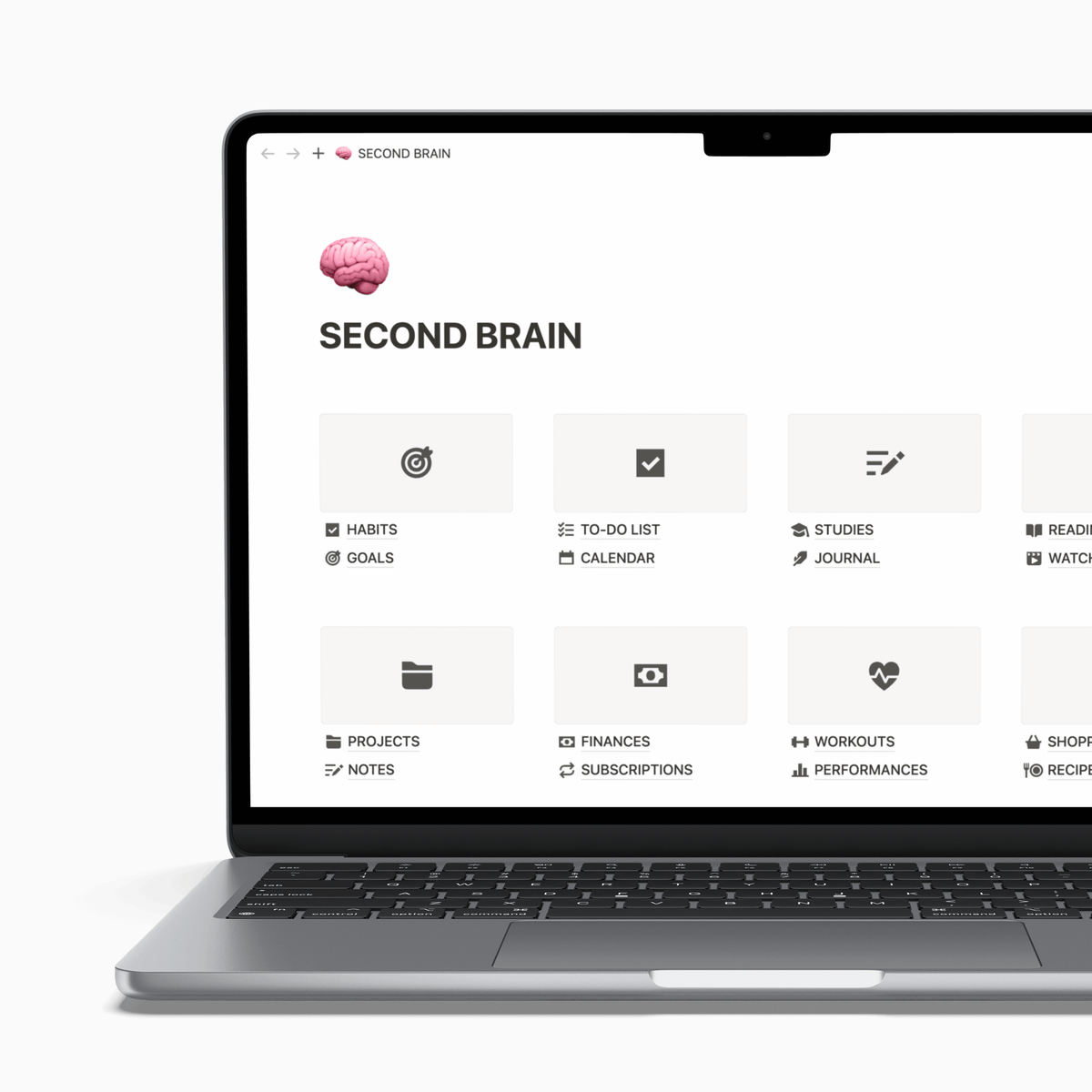
The Focusity Second Brain template is a complete, ready-to-use Notion system built around these exact principles. It includes 16 organized sections — tasks, projects, notes, habits, goals, knowledge base, and more — all designed to work together from day one. No setup required: duplicate it into your workspace in one click and start immediately.
It has been refined continuously based on user feedback and Notion updates, and has been adopted by thousands of people worldwide as their go-to productivity system.

Leave a comment
This site is protected by hCaptcha and the hCaptcha Privacy Policy and Terms of Service apply.